

 Home
Home1
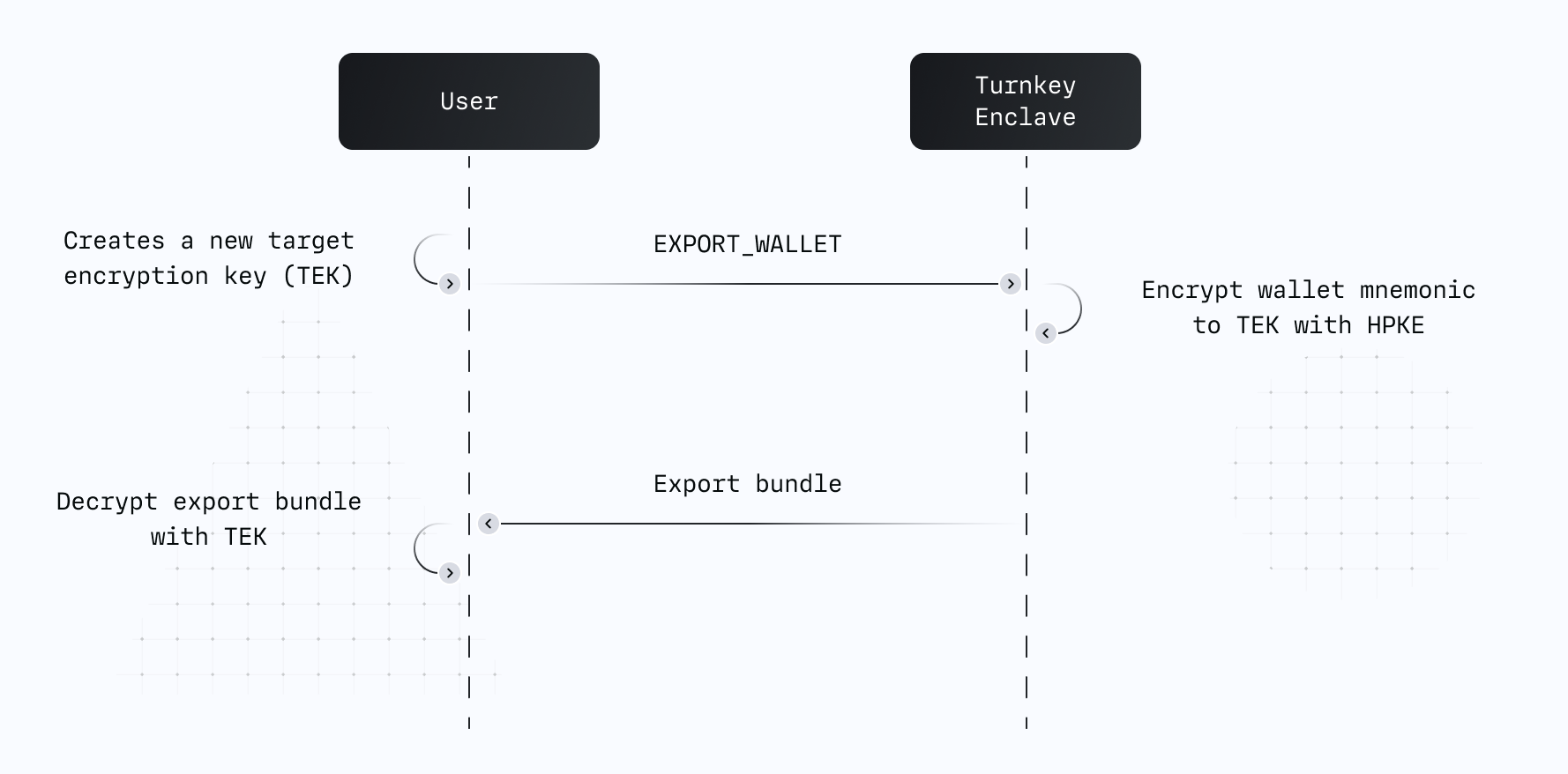
Initialize the wallet or private key export activity. In this activity, specify the wallet or
private key ID being exported, plus a target encryption key (TEK). A Turnkey enclave encrypts
the exported key to the target public key, and returns the bundle.
2
Decrypt the resulting bundle to reveal the wallet or private key.
How it works
Turnkey exports are powered by a target encryption key (TEK) — a standard P-256 key pair that you generate and control. It can be created completely offline, or online using the Web Crypto API. The public portion of the TEK is passed as a parameter inside a signedEXPORT_WALLET,
EXPORT_PRIVATE_KEY, or EXPORT_WALLET_ACCOUNT activity.
Turnkey’s enclave encrypts the wallet mnemonic or private key to your TEK using
HPKE, then returns the encrypted bundle. Only the
holder of the TEK private key can decrypt the result — not Turnkey, not your application server.
Once the activity succeeds, the exported wallet remains stored within Turnkey’s infrastructure and
is flagged as “Exported” in your dashboard.
Implementation guides
Client side SDKs
Each client SDK integration guide covers wallet and private key export end-to-end, including generating the TEK, submitting the export activity, and decrypting the returned bundle:Server side SDK
Use@turnkey/sdk-server together with
@turnkey/crypto to drive export flows from a
Node.js backend. The server generates a P-256 TEK, submits the export activity with the TEK public
key, and @turnkey/crypto decrypts the returned bundle.
A full reference implementation is available at
export-in-node.
Embedded iframe
Versions of
@turnkey/iframe-stamper below 2.0.0 are vulnerable to cross-origin attacks. If you are using an older version, upgrade to 2.0.0 or later.Higher-level SDKs depend on @turnkey/iframe-stamper transitively — including @turnkey/sdk-browser, which uses a frame for session key storage. The minimum version of each that ships a patched @turnkey/iframe-stamper:@turnkey/sdk-browser0.2.1@turnkey/sdk-react0.2.1@turnkey/react-wallet-kit— all versions
@turnkey/sdk-browser and @turnkey/sdk-react releases published before 0.2.1 (May 8, 2024) depend on a vulnerable @turnkey/iframe-stamper.export.turnkey.com designed to be embedded as an iframe in
your app. The encrypted bundle returned by Turnkey is injected into the iframe, which decrypts and
displays the mnemonic or private key entirely within its own origin — neither your app nor Turnkey
ever sees the plaintext. Use
@turnkey/iframe-stamper to insert the
iframe and inject the export bundle. Source code for the hosted page is available at
tkhq/frames.
For a full reference implementation, see the
import-export-with-iframe-stamper
example.