

 Home
HomeSupport chat
In-dashboard chat for technical and integration questions. AI answers first,
with escalation to the Turnkey team.
help@turnkey.com for support,
hello@turnkey.com for plans and commercial
questions.
Shared Slack channel
Available to teams on an Enterprise plan, connected directly to your Turnkey
account team.
Status page
Critical incidents are reported at
turnkey-status.com.
Support chat in the dashboard
The Turnkey dashboard includes a support chat widget. It is the primary channel for technical and integration questions, and conversations you start there are tracked so you can pick them back up later.The support chat is available in the
dashboard and requires you to be
logged in. It is not available in the legacy dashboard, so if you do not see
the widget, confirm you are on the current dashboard and signed in to your
organization.
Finding the widget
The chat launcher sits in the bottom-right corner of the dashboard and stays available as you navigate between pages.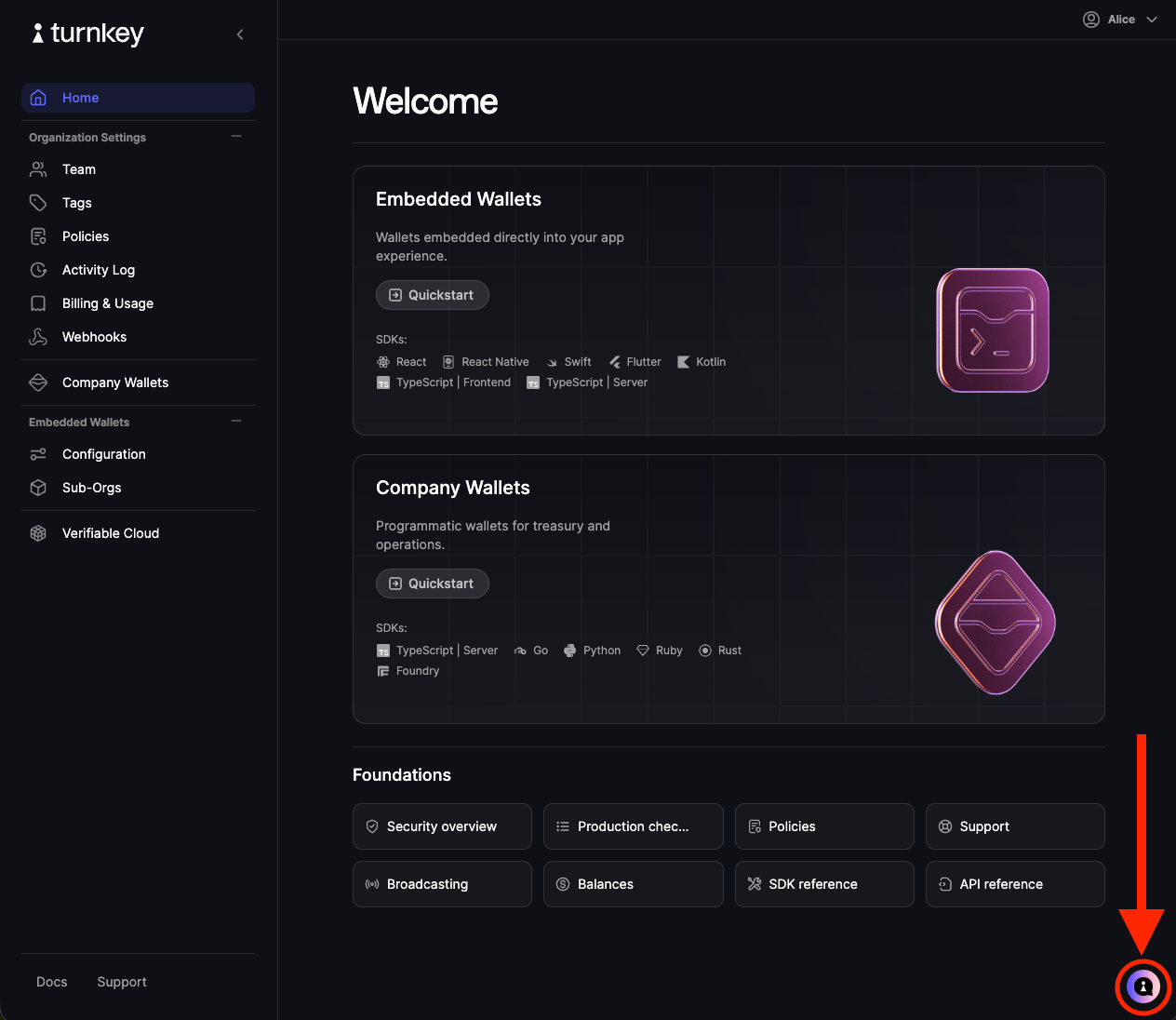
Support links that open the chat
Two Support entry points in the dashboard open the same chat panel rather than sending you elsewhere. One is at the bottom of the dashboard side nav, available from any page. The other is on the dashboard Home screen.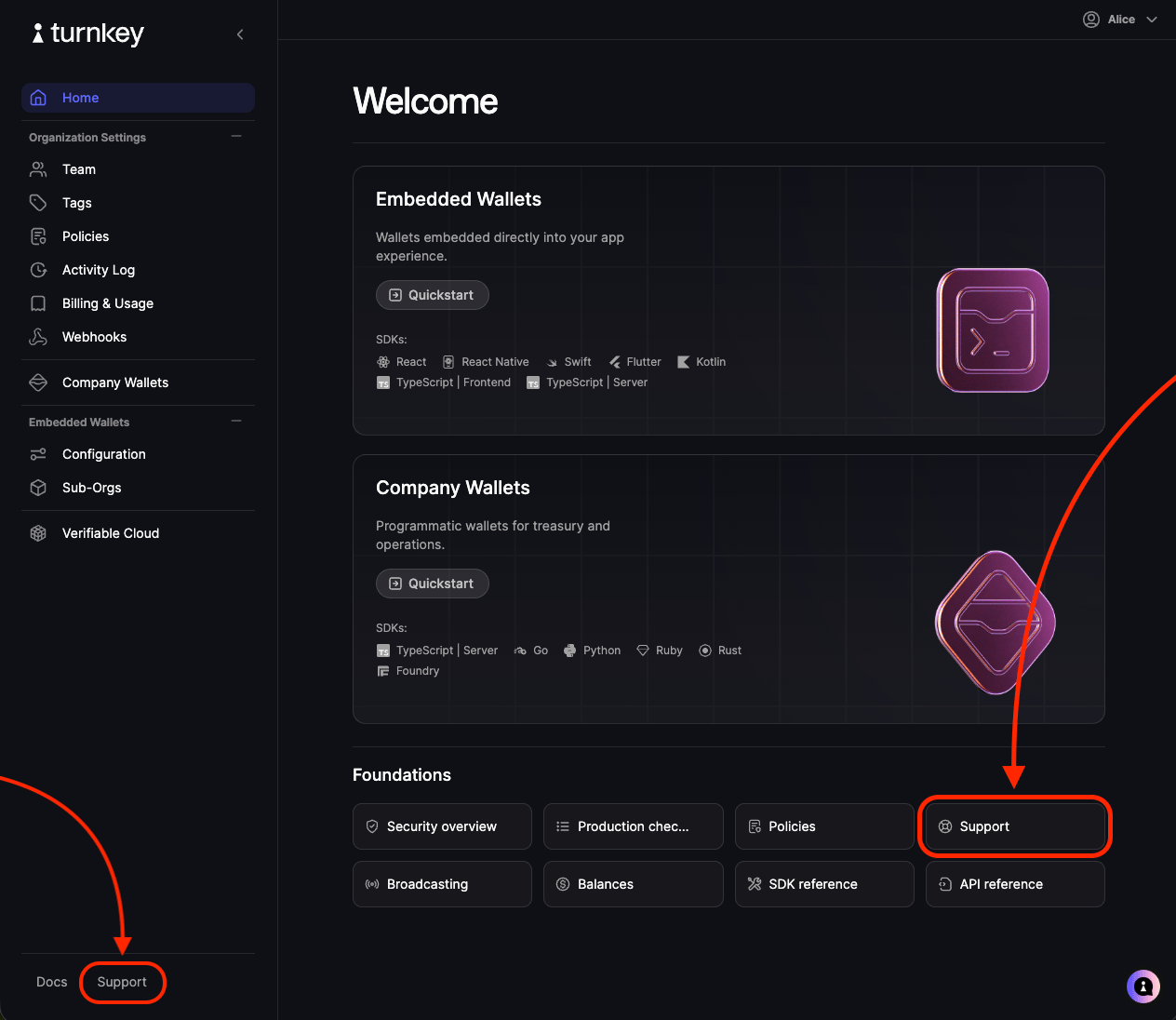
What you can do in the chat
- Start a new conversation. Describe your issue in the message composer to open a new thread.
- Reopen past conversations. Previous threads are listed in the panel, so you can review earlier answers or add a follow-up to an existing thread instead of starting over.
- Jump to related resources. The panel contains helpful bookmarks at the bottom that link out to Turnkey’s GitHub organization, Turnkey’s status page, and our Contact Sales form for commercial questions.
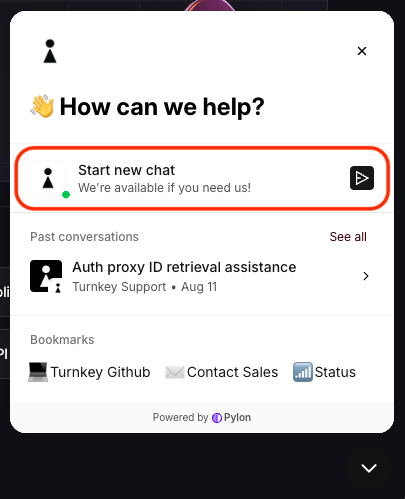
Starting a new conversation
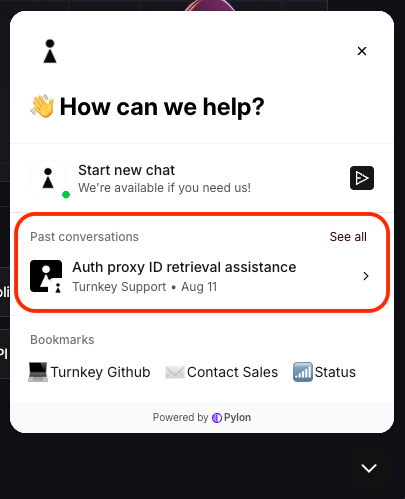
Reopening a past conversation
AI first response and escalation
Some new conversations will receive an AI-generated first response drawn from Turnkey’s documentation. It resolves many common questions immediately, at any hour. If the answer does not resolve your issue, say so in the thread and the conversation is escalated to the Turnkey support team. Some escalation is automatic. Escalated threads stay in the same conversation, so the team sees the full history and you do not need to restate the problem.- help@turnkey.com reaches the support team for technical questions, integration help, errors, and account issues. Use this if you cannot use the chat widget to report your issue.
- hello@turnkey.com is for pricing, plans, network or feature requests, and other commercial questions. Teams looking for in-depth, ongoing integration support can ask about upgrading to an Enterprise plan here.
Shared Slack channel
Teams on an Enterprise plan can have a shared Slack channel connected directly to their Turnkey account team, which is useful during active integration work and launches. If your organization already has one, keep using it. If you would like one, contact hello@turnkey.com.Community Slack
Club Turnkey is our community Slack workspace, where builders share feedback, trade notes on their integrations, and stay up to date on the latest Turnkey features and updates.The support chat and help@turnkey.com are the
primary channels for technical and integration questions, and requests there
are tracked as conversations you can pick back up. Start with the chat widget
in the Turnkey dashboard or send us an email for anything involving your
organization, an error you are hitting, or account details.
Social
Turnkey posts product updates and announcements on X. You can also reach out there for quick, general questions, though the support chat and email are the right channels for anything involving your organization or account details.Service status
Critical incidents and degraded service are reported at turnkey-status.com. Check it first if you are seeing widespread failures or elevated latency, then reach out through the support chat or help@turnkey.com with the details below.What to include in a support request
The more of this you can share up front, the faster we can diagnose the issue:- Your organization ID, and the sub-organization ID if the issue involves one
- The activity ID or activity type involved
- The exact error message, including the error ID when one is present
- The SDK and version or the raw request you sent, with API keys, private keys, and other secrets removed
- Timestamps with a timezone, and how often the issue reproduces
- What you expected to happen versus what happened
Before you reach out
Many questions are answered in the docs:- Dashboard guides walk through routine dashboard tasks step by step, such as changing your login email.
- Rate limits covers API throughput and HTTP 429 responses.
- Organizations explains test environments, dashboard accounts, and data deletion.
- Production checklist, supported networks, and availability and compliance cover subscriptions and billing, chain support, and geographic eligibility.
- API error reference explains specific error messages and how to resolve them.
- SDK reference and the example apps in the Turnkey SDK repository include working integrations you can compare against.
- The Trust Center has our security and compliance resources, including compliance status, security controls, and subprocessors.