Home
Home- A new engineer, operator, or reviewer needs their own dashboard login instead of sharing one.
- You want an additional user in the root quorum for redundancy. Keep the threshold in mind: a 1-of-2 quorum lets either member act alone if the other loses access, while a 2-of-2 quorum can still lock you out when one member loses access. The production checklist recommends at least three members with a threshold of at least two.
- You are setting up approval workflows and need more users to act as approvers in policies.
- Someone on your team needs to review activity, wallets, or billing in the dashboard.
- The invitee receives an email with a link to join. The link is valid for 48 hours. If it expires, delete the pending invitation and send a new one.
- When they accept, they register a passkey or security key, which becomes their first authenticator. Until then there is no user in the organization for them.
- A new team member has no permissions until a policy grants them or they join the root quorum. Any user tags you pick during the invitation are assigned when they accept, so policies that reference those tags apply right away.
- An organization can hold up to 100 users and 100 pending invitations. See resource limits.
1
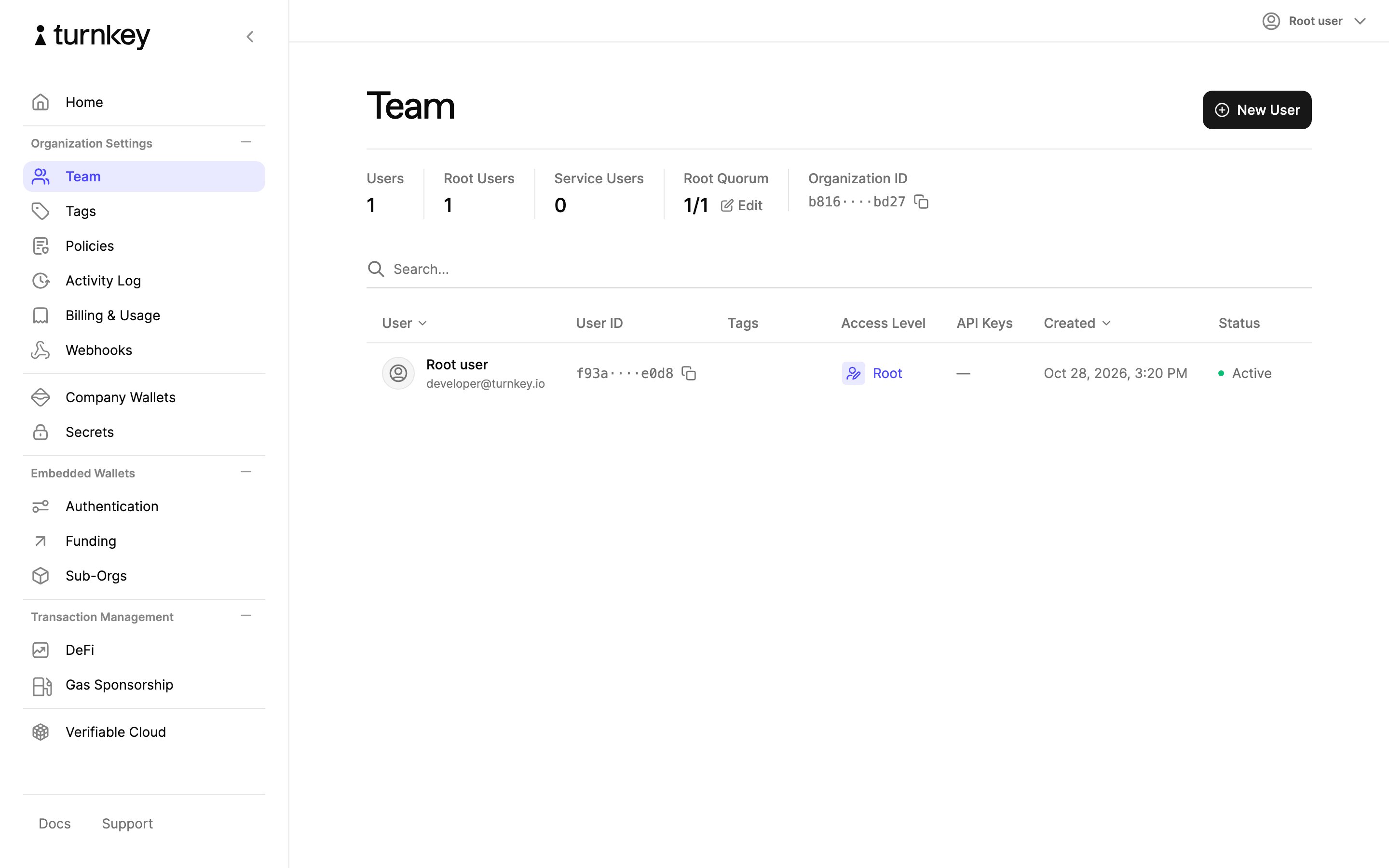
Open the Team page
In the left navigation, select Team, then select New User in the top right.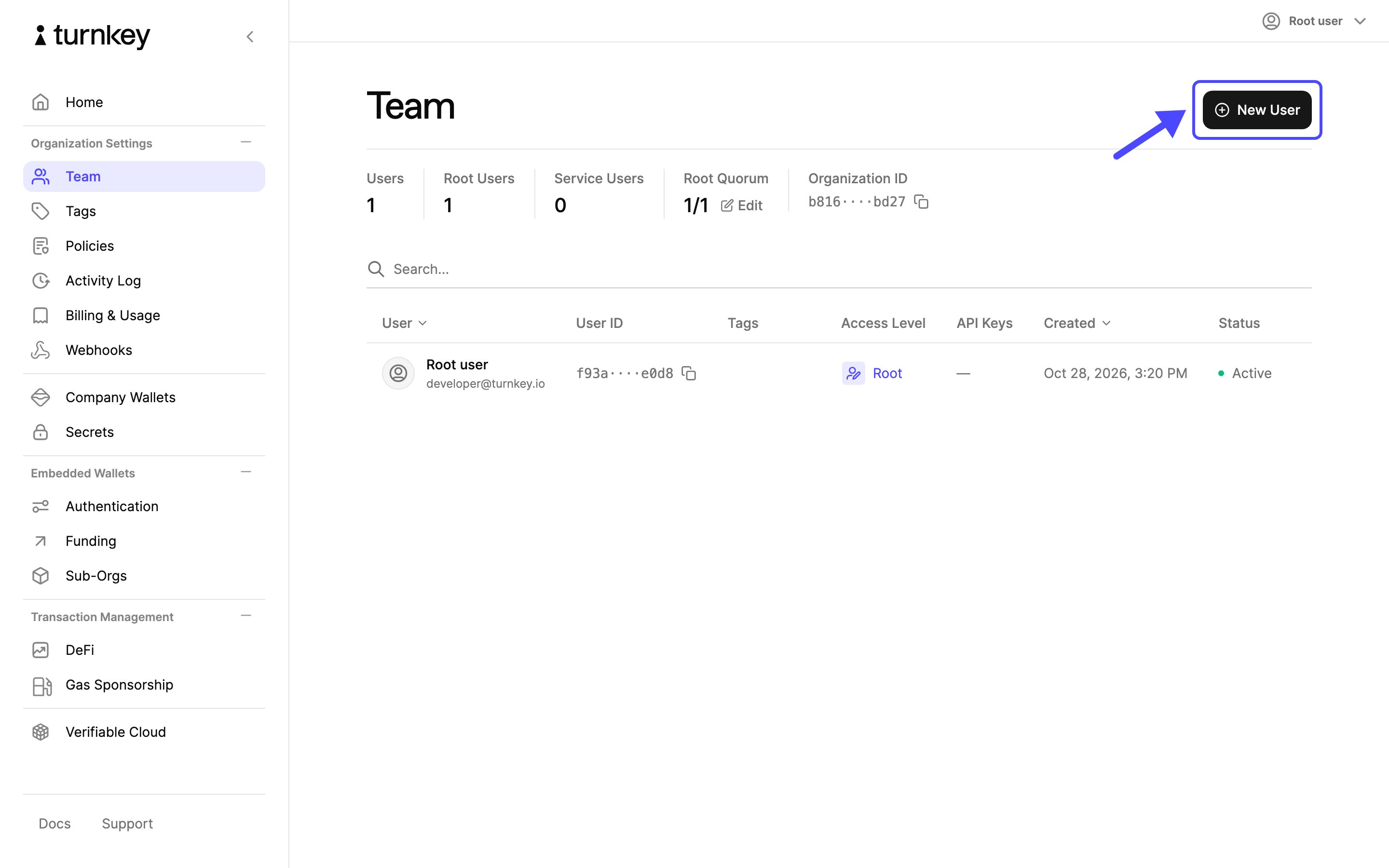
2
Choose the user type
Choose Team member.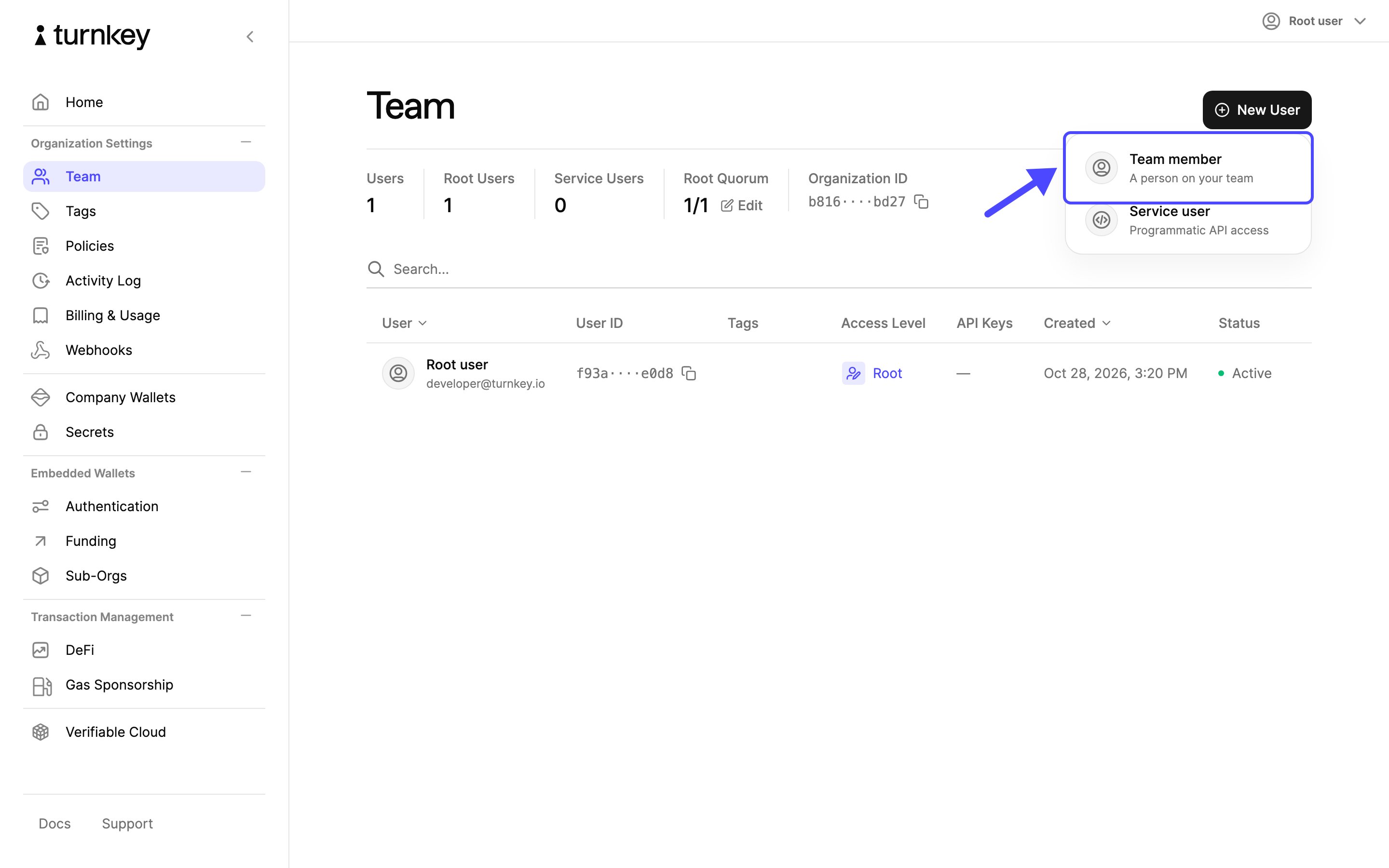
3
Enter the team member's details
Enter the team member’s full name and email address. If your organization has user tags, you can also pick the ones they should start with. Select Continue.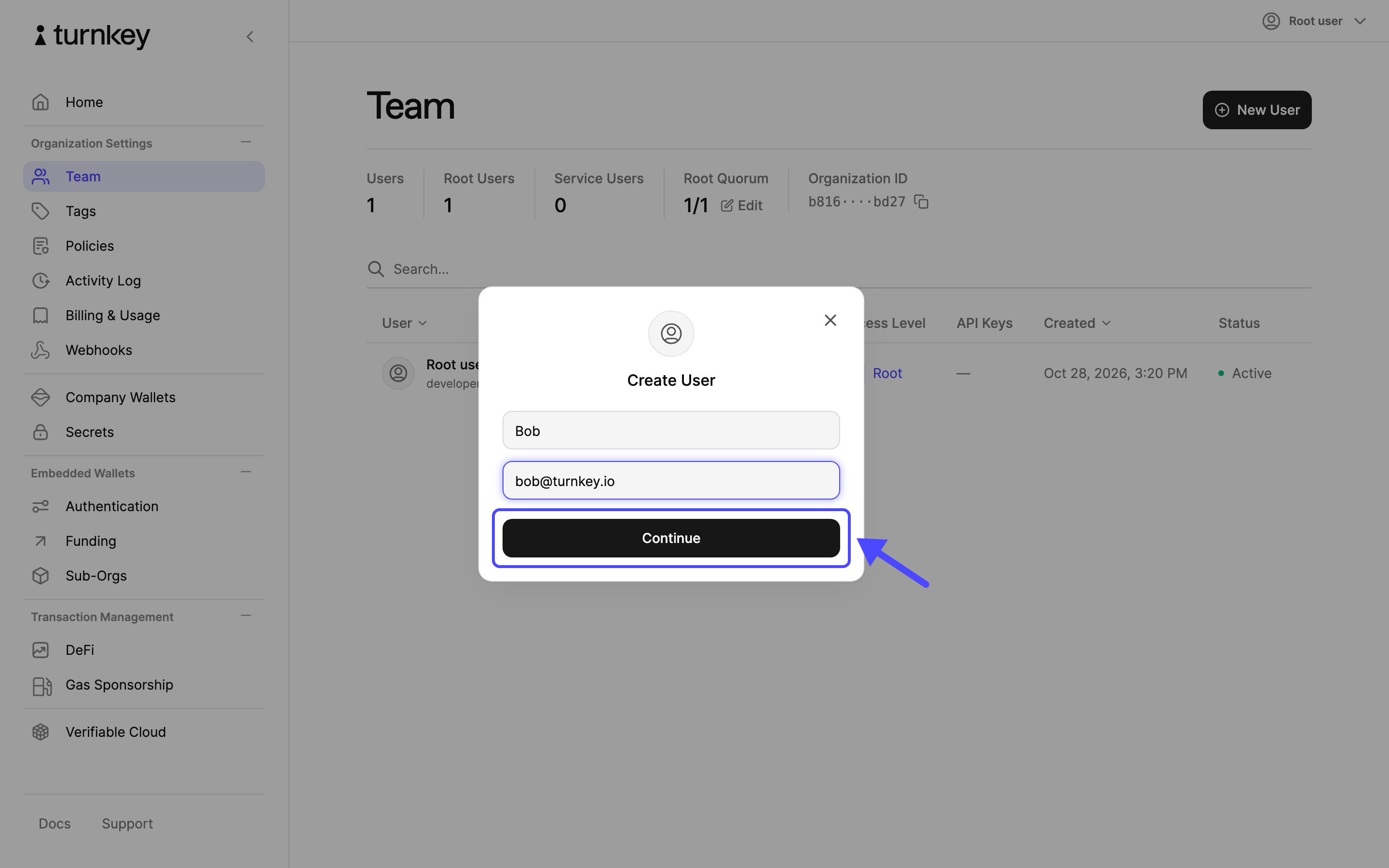
4
Approve the invitation
Confirm with your authenticator. Choose This Device for a passkey or Security Key for a hardware key.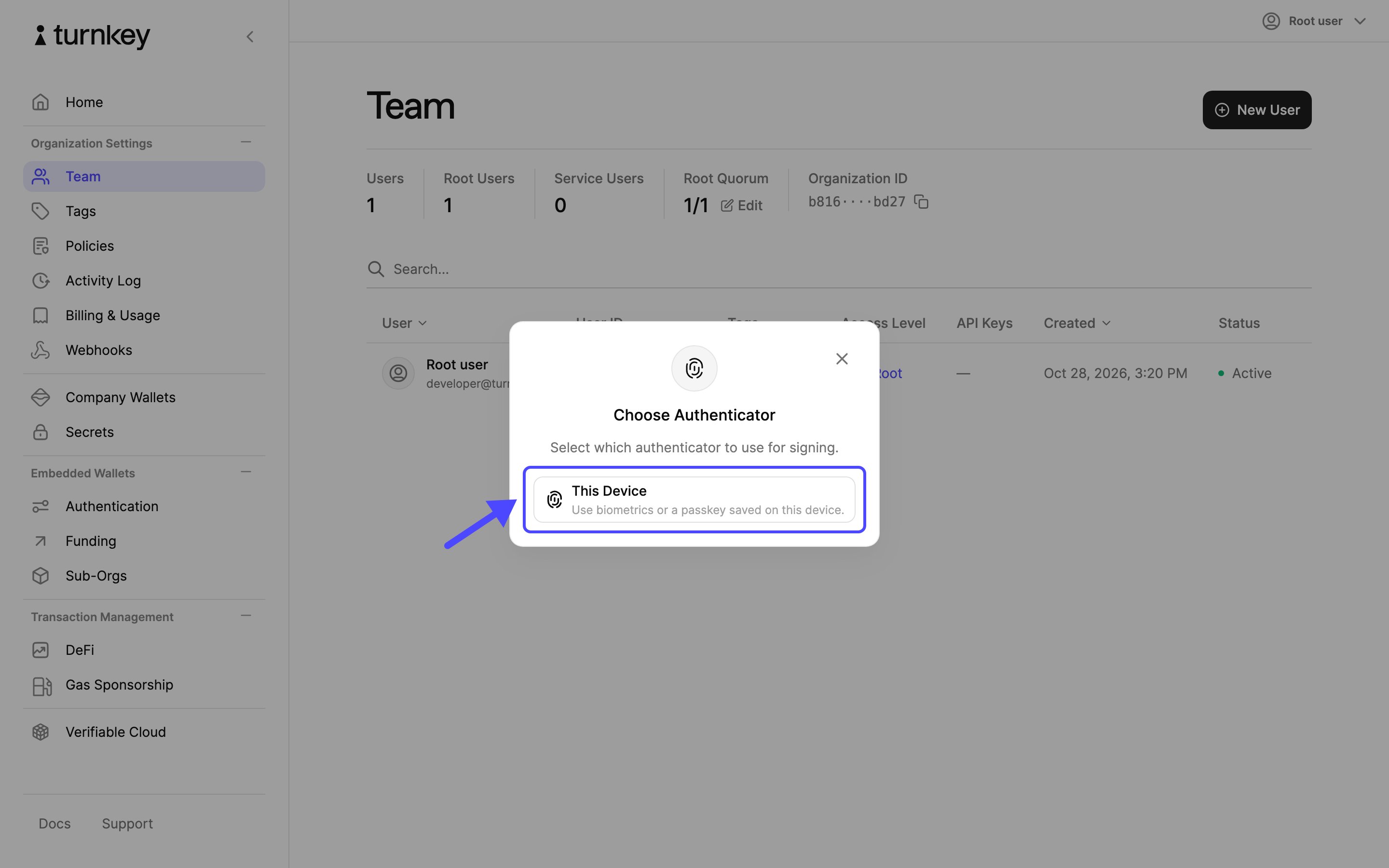
5
Invitation sent
The new member appears in the team list with the status Invited and receives an email with a link to join. To manage a pending invitation, select its row.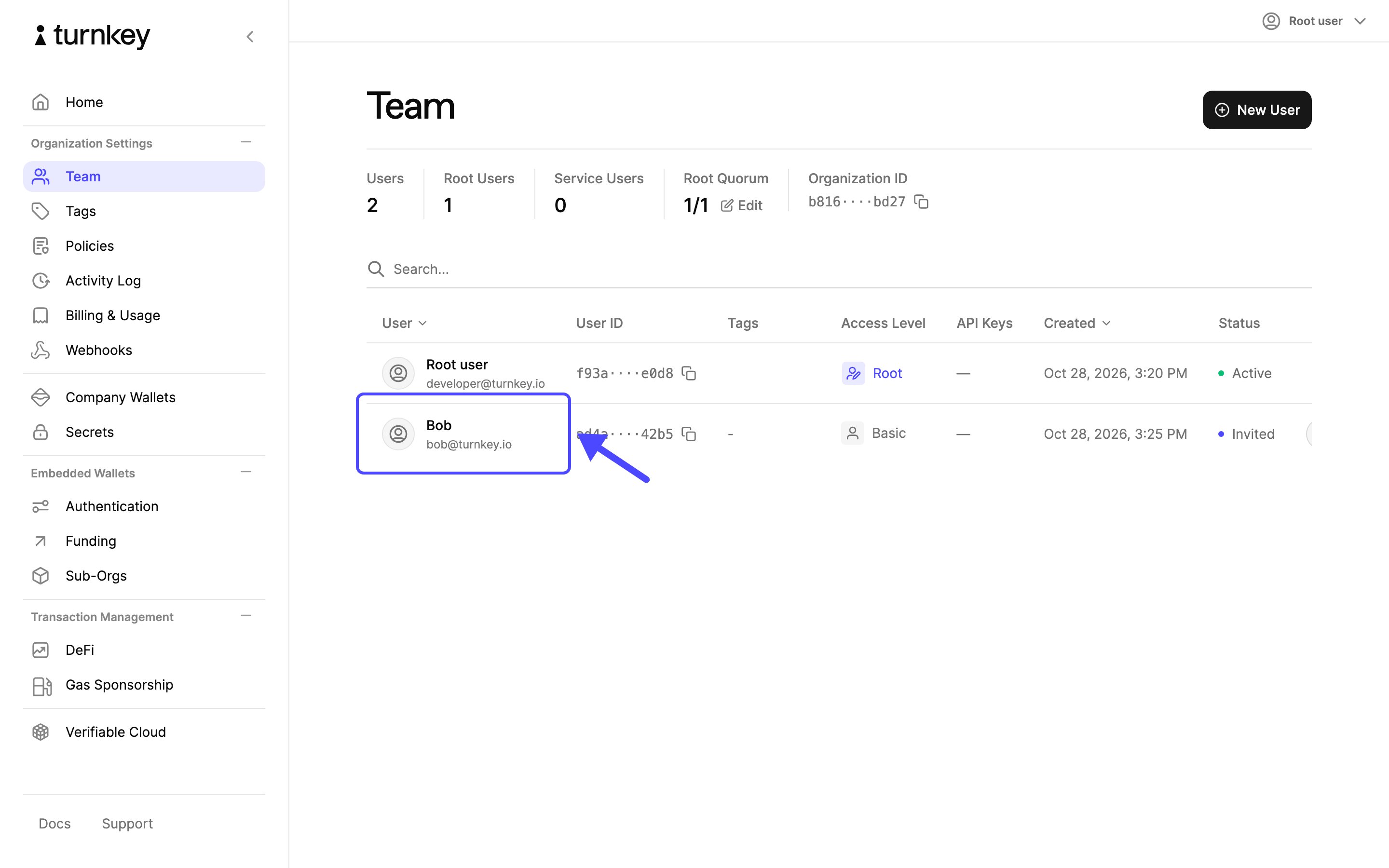
6
Open the pending invitation
The invitation’s details show who was invited and when. To cancel it, select the Delete invitation icon.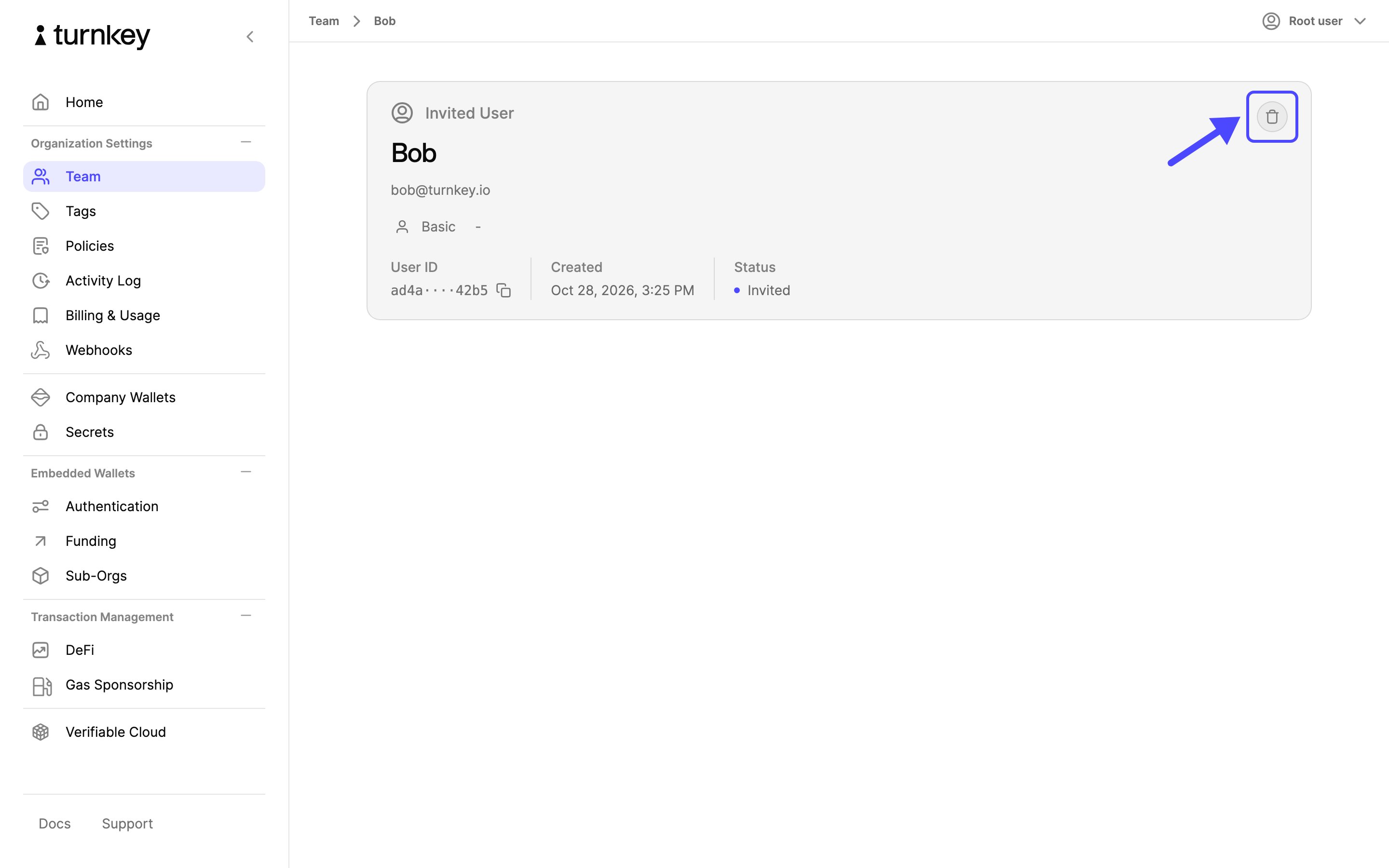
7
Confirm the deletion
Select Delete, then approve with your authenticator as before.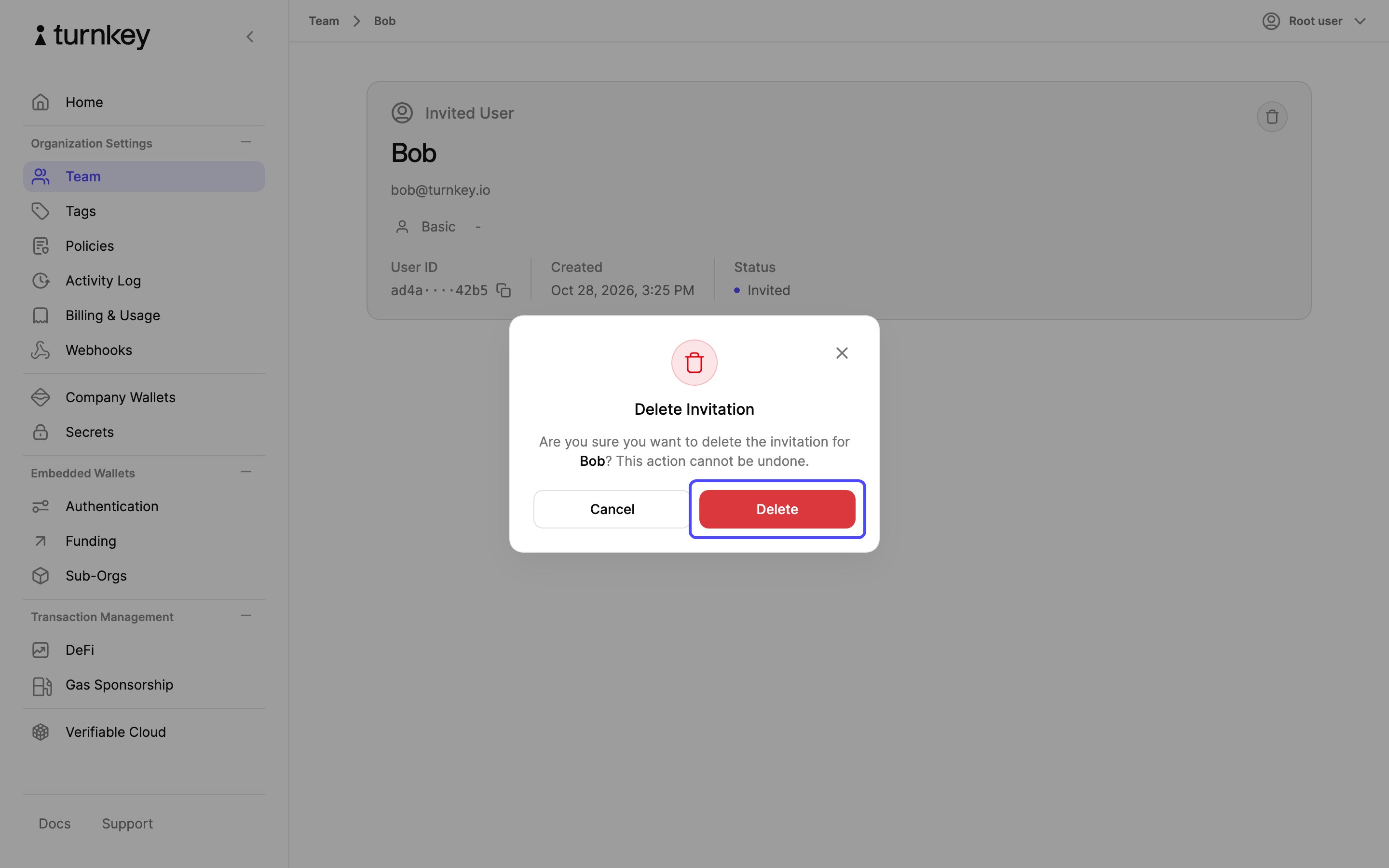
8
Invitation deleted
You return to the team list, and the pending invitation is gone. The link in the invitation email no longer works.