

It is Turnkey’s approach that the safest place for key material is within the hardened secure enclaves, and within these enclaves alone. Our model guides using authenticators (or combinations thereof) of increasing sophistication, relating to the importance or consequences of a given action. For example, a full recovery of an organization may require multiple break-glass hardware authenticators, where a routine low-stakes action might only rely on an API key. The below options all involve some combination of authentication methods and policies. Both of these can be difficult to change later, so consider configuring your backup and recovery methods as early as possible.Documentation Index
Fetch the complete documentation index at: https://docs.turnkey.com/llms.txt
Use this file to discover all available pages before exploring further.
Root user recovery
Touched on in the production checklist, the native method of organization recovery in Turnkey is to configure multiple root users (recommended at least 3), who each have hardware authenticators such as biometric auth (TouchID on a MacBook) or a YubiKey physical passkey. With at least 3 root users, it is possible to set up a 2 of 3 root quorum which can bypass the policy engine and assert maximum authority in the case of disaster recovery - even when one root user may have lost their authenticator.Sub-organizations
In a typical non-custodial/embedded wallet configuration, the same root user recovery approach can be effectively used. One could decide on a single ultimate recovery method, such as a passkey or email-based recovery, or a combination of multiple methods mirroring the previously outlined n of m.Account based authenticators
An additional consideration for account-based authenticators (such as email or social login) is that these identity providers typically provide some form of account recovery as well. This can both work to help remove a single point of failure, but also introduce a risk of compromise were an attacker to gain access using this mechanism. Decide appropriately how account based authenticators fit your cybersecurity model.User wallet backup
Using additional authenticators for recovery is preferred since it ensures wallets never leave the enclave. However, it is also possible for the user to backup their key material outside of Turnkey. Wallets, wallet accounts, and raw private keys can all be exported securely using an embedded iframe which ensures the key material remains encrypted while being sent from Turnkey’s enclave to the user’s device.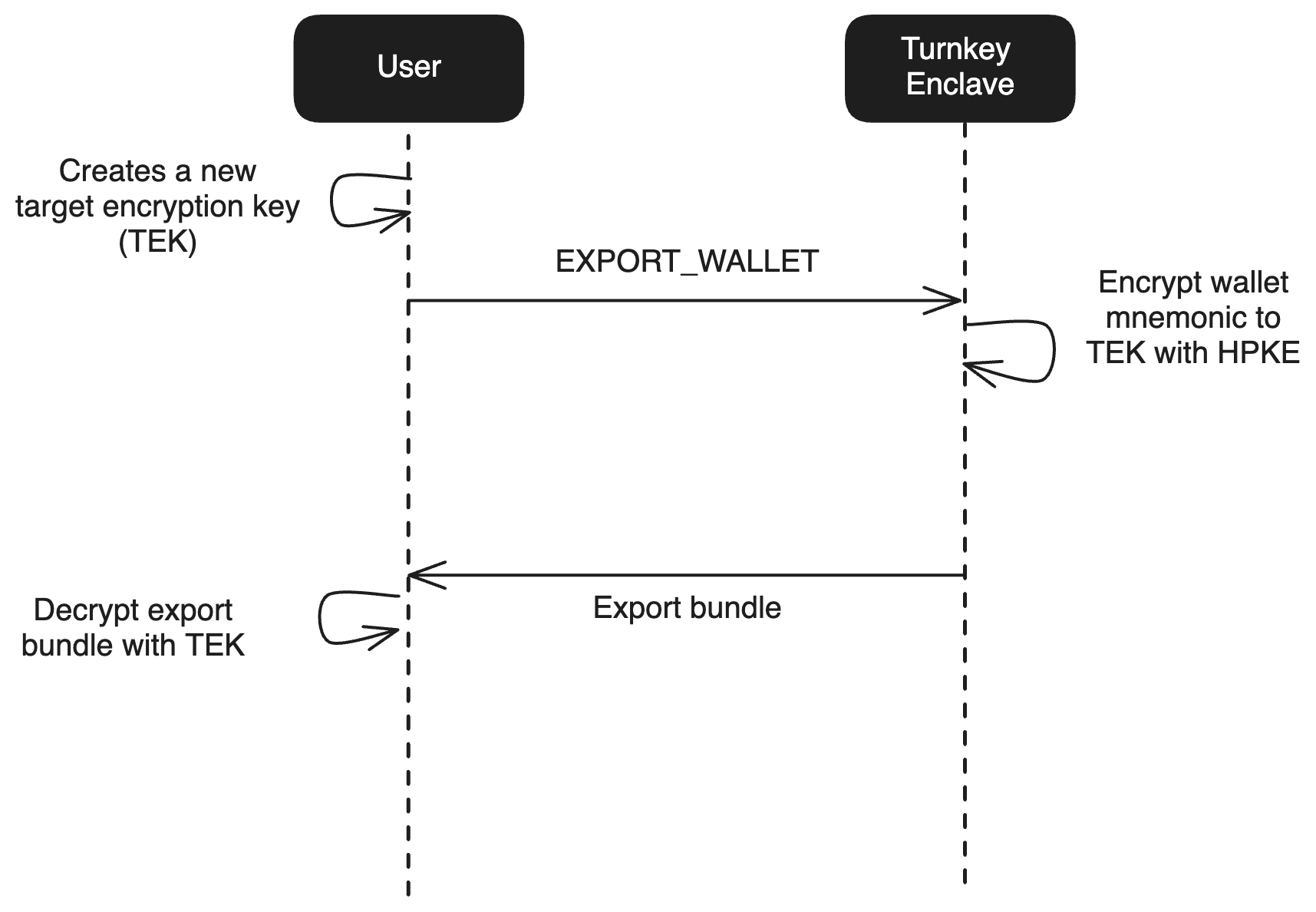
- Expose the seed phrase to the user in plaintext clientside so they can record it manually. See wallet exports for more detail.
- Encrypt the seed phrase to a user defined passphrase (using PBKDF2). Contact Turnkey support if you’re interested in this implementation.