

Documentation Index
Fetch the complete documentation index at: https://docs.turnkey.com/llms.txt
Use this file to discover all available pages before exploring further.
Overview
On Solana, fee sponsorship and rent sponsorship are separate concepts. Fee sponsorship covers the network fee for a transaction. Rent sponsorship covers the rent-exempt lamports needed when instructions create new accounts. Rent sponsorship is disabled by default and must be enabled separately in the Turnkey dashboard. When rent is enabled:- If an instruction creates a new account and the user signer is the payer, Turnkey pre-funds that signer for the rent-exempt amount. The amount is based on the size of the new account data and is intended to make the account rent exempt.
- Sponsored rent is added to your monthly gas bill and counts toward the same spend limits used for sponsored transaction fees. See Spend limits.
Enable rent sponsorship
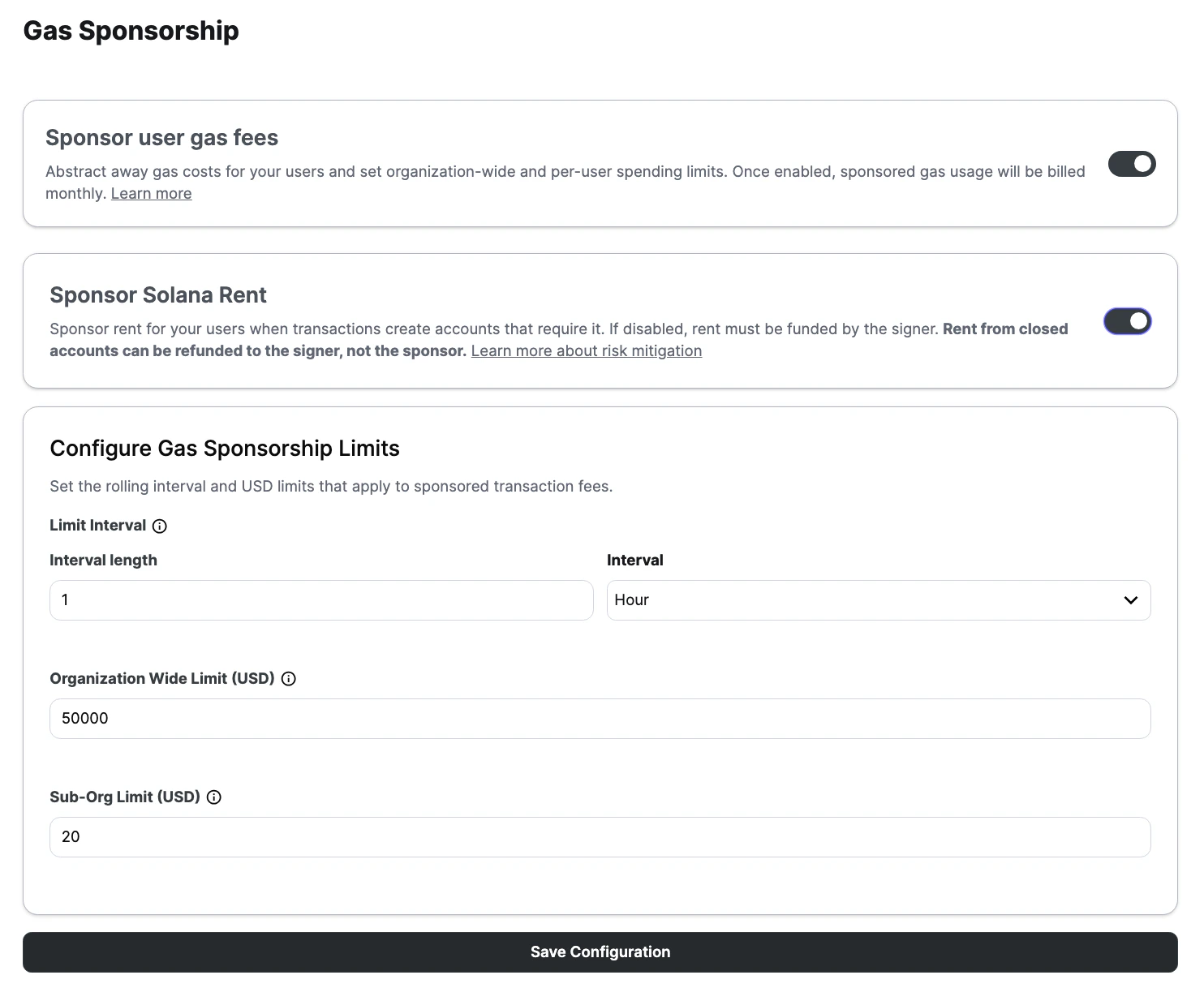
If your product sponsors transactions that create accounts and you want rent covered for your users, you must enable rent sponsorship in the Turnkey dashboard. Here is how you can do this:- Enable gas sponsorship.
- Turn on
Sponsor Solana Rent. - Click
Save Configuration.
Rent extraction risk
Solana accounts can be closed after they’re created, and when that happens, the rent previously deposited into the account is returned according to Solana account rules, usually to the configured destination for the close operation. That destination is usually the signer or account owner, not the sponsor that originally funded the rent. This creates a rent extraction risk for sponsored Solana transactions: the sponsor covers the rent needed to create the account, but the refunded rent can later flow back to the signer instead. This means that when your organization pays for rent upfront, and those accounts are later closed, the refunded lamports may go to the signer, not back to you. This can be exploited maliciously, but it also happens naturally in ordinary product flows. A common example is a swap that temporarily wraps SOL into wSOL, uses that account during execution, and then closes the temporary account before the transaction completes. In a self-funded flow, the rent simply returns to the user. In a sponsored flow, that same rent may have been pre-funded by the sponsor and then refunded back to the signer.Mitigations and guardrails
How you mitigate depends on how much transaction flexibility your product allows, but there are several approaches:- Reuse a constrained set of token accounts where possible instead of creating and closing them repeatedly.
- Avoid or strip
CloseAccountpatterns from sponsored flows when that works for your product. - Prefer backend-generated or backend-validated transactions for higher-control flows.
- Use spend caps, rate limits, monitoring, and alerts to bound and detect repeated leakage.
- Apply policies that constrain account creation and closure in sponsored Solana transactions.
- Treat account creation and account closure as first-class review criteria for sponsored Solana transactions.
Strip CloseAccount instructions before submission
One practical guardrail is to inspect the transaction payload before submission and remove SPL Token CloseAccount instructions.
This is especially useful when you receive a prebuilt transaction from a routing service such as Jupiter and want to keep your sponsored flow from immediately refunding rent back to the signer.
In the SPL Token program, CloseAccount is instruction discriminator 9. A simple filter can remove those instructions before you hand the transaction to Turnkey:
Disable Jupiter auto wrap and unwrap for SOL flows
Another useful guardrail is to disable Jupiter’s automatic SOL wrapping and unwrapping behavior when you request the swap transaction. WhenwrapAndUnwrapSol is enabled, Jupiter may create a temporary wSOL account for the transaction and then close it before completion. In a sponsored flow, that pattern can create a rent refund path back to the signer.
To prevent that, set wrapAndUnwrapSol to false in the Jupiter API request:
- reuse a persistent wSOL account instead of creating a fresh one per swap
- avoid automatic close-account behavior in the routed transaction
- review account lifecycle decisions on the backend before submission