

 Home
HomeKey implementation decisions
Example: treasury recovery
Import wallet keys into Turnkey’s secure enclave ahead of time. If a key holder becomes unavailable or a hardware wallet fails, recover treasury assets with quorum-controlled access and policy-restricted fund movement.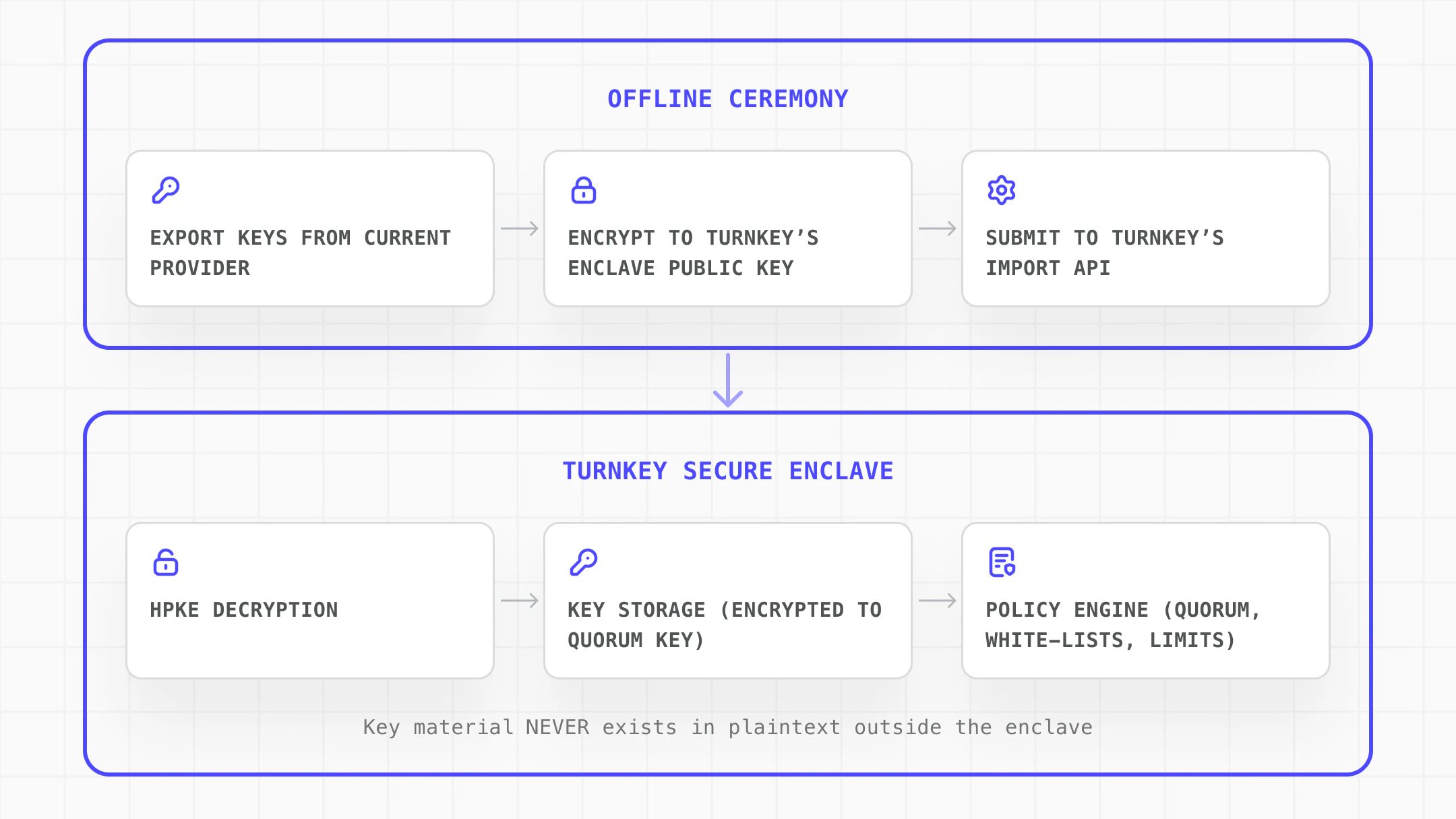
Implementation steps
Explore the complete implementation in the GitHub disaster-recovery example.
1
Set up organization and recovery policies
Create a Turnkey organization and establish the security foundation for recovery operations:
- Create dedicated recovery users with specific, limited permissions
- Configure the Root Quorum to require multiple approvers for sensitive operations
- Distribute authenticators (passkeys, YubiKeys) across geographic locations
- Define policies that restrict what can be done with recovered wallets
2
Initialize and encrypt the wallet bundle
Use the NodeJS server SDK to initialize the import and encrypt the wallet material to Turnkey’s enclave:
3
Import the wallet
Use importWallet() to transmit the encrypted bundle. The enclave decrypts and stores the key material. All fund movements are logged with cryptographic signatures.