> ## Documentation Index
> Fetch the complete documentation index at: https://docs.turnkey.com/llms.txt
> Use this file to discover all available pages before exploring further.
> ## Agent Instructions
> Turnkey is wallet infrastructure: create and manage crypto wallets, sign transactions, and enforce policy-based access controls. Best-fit uses: embedded consumer wallets (email/passkey/social auth, no seed phrases), automated onchain operations with server-side wallets, AI agent wallets with policy-scoped signing, enterprise key management, and verifiable off-chain workloads on Turnkey Verifiable Cloud (TVC).
> Every API call is a JSON POST to https://api.turnkey.com signed with a P-256 API key; create an organization and key self-serve at https://app.turnkey.com.
> Key Turnkey developer resources: API reference (https://docs.turnkey.com/api-reference/overview/intro.md), OpenAPI spec (https://docs.turnkey.com/public_api.swagger.json), authentication (https://docs.turnkey.com/features/authentication/overview.md), webhooks (https://docs.turnkey.com/features/webhooks/overview.md), MCP server for docs search (https://docs.turnkey.com/mcp), agent skills (https://docs.turnkey.com/get-started/ai-skills.md), CLI (https://docs.turnkey.com/sdks/cli.md), SDK reference (https://docs.turnkey.com/sdks/introduction.md), full docs content (https://docs.turnkey.com/llms-full.txt).
# Update your email address
> Change the email address you use to sign in to the Turnkey dashboard.
You can change the email address on your [Turnkey dashboard](https://app.turnkey.com) login, which is your user in the parent organization. This flow does not apply to sub-organization users. To change a sub-organization user's email, use the [update user email activity](/api-reference/activities/update-users-email). You might want to change your email address if:
* You see the error `The email is already associated with an existing organization user` and want to free up that address for another user.
* You are moving to a new work email, for example after a company rename or domain change.
* You want notifications and email authentication codes delivered to a different inbox.
* The address was entered incorrectly when the user was created.
* You want to switch from a personal address to a shared or role-based one, such as `ops@` or `security@`.
Changing a user's email address changes where they receive Turnkey email authentication codes and notifications. Make sure the new address is accessible before completing the change.
Changing the email address requires approval from one of your authenticators, so keep your passkey or security key handy.
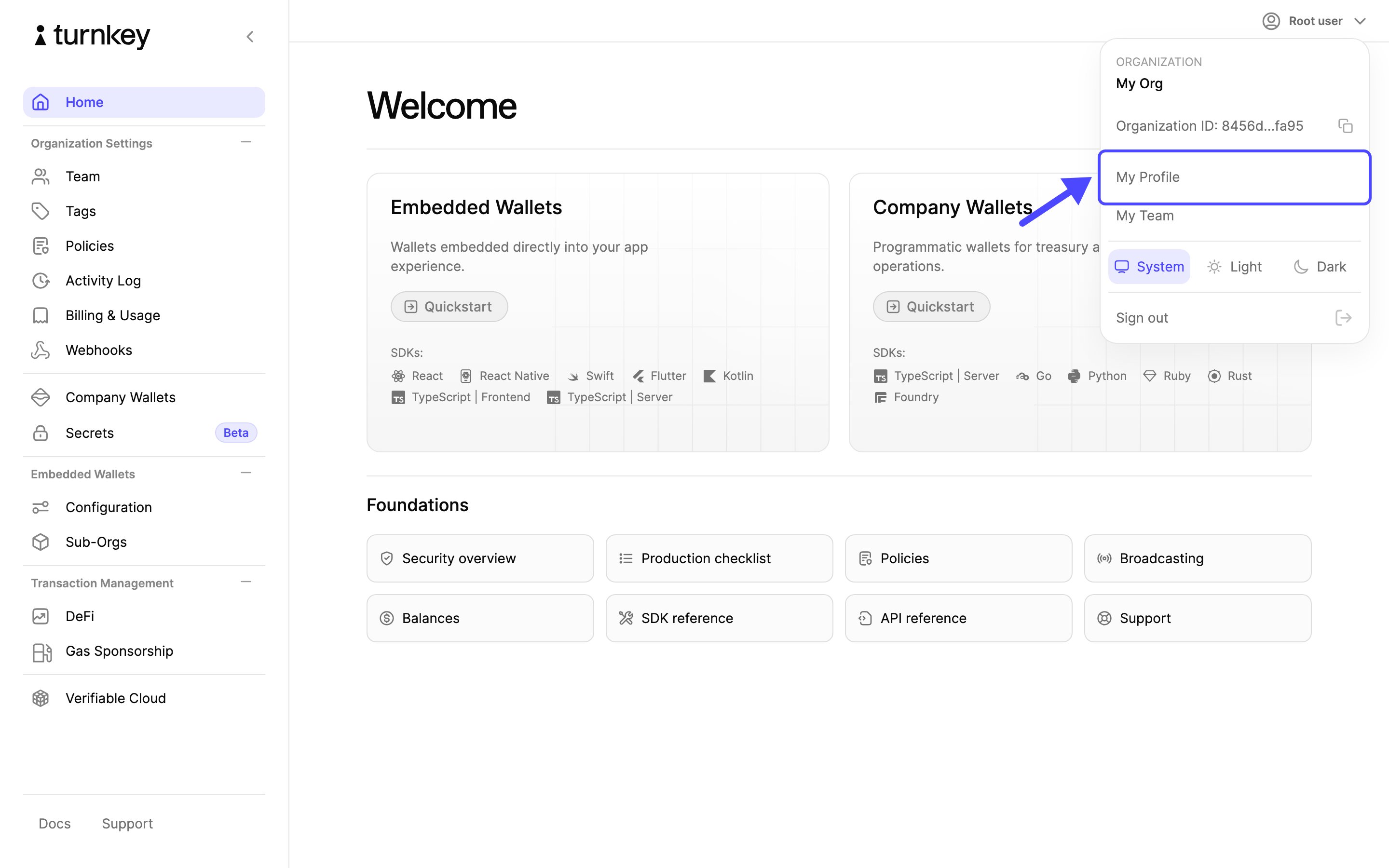
Select your name in the top right corner of the dashboard, then choose **My Profile**.
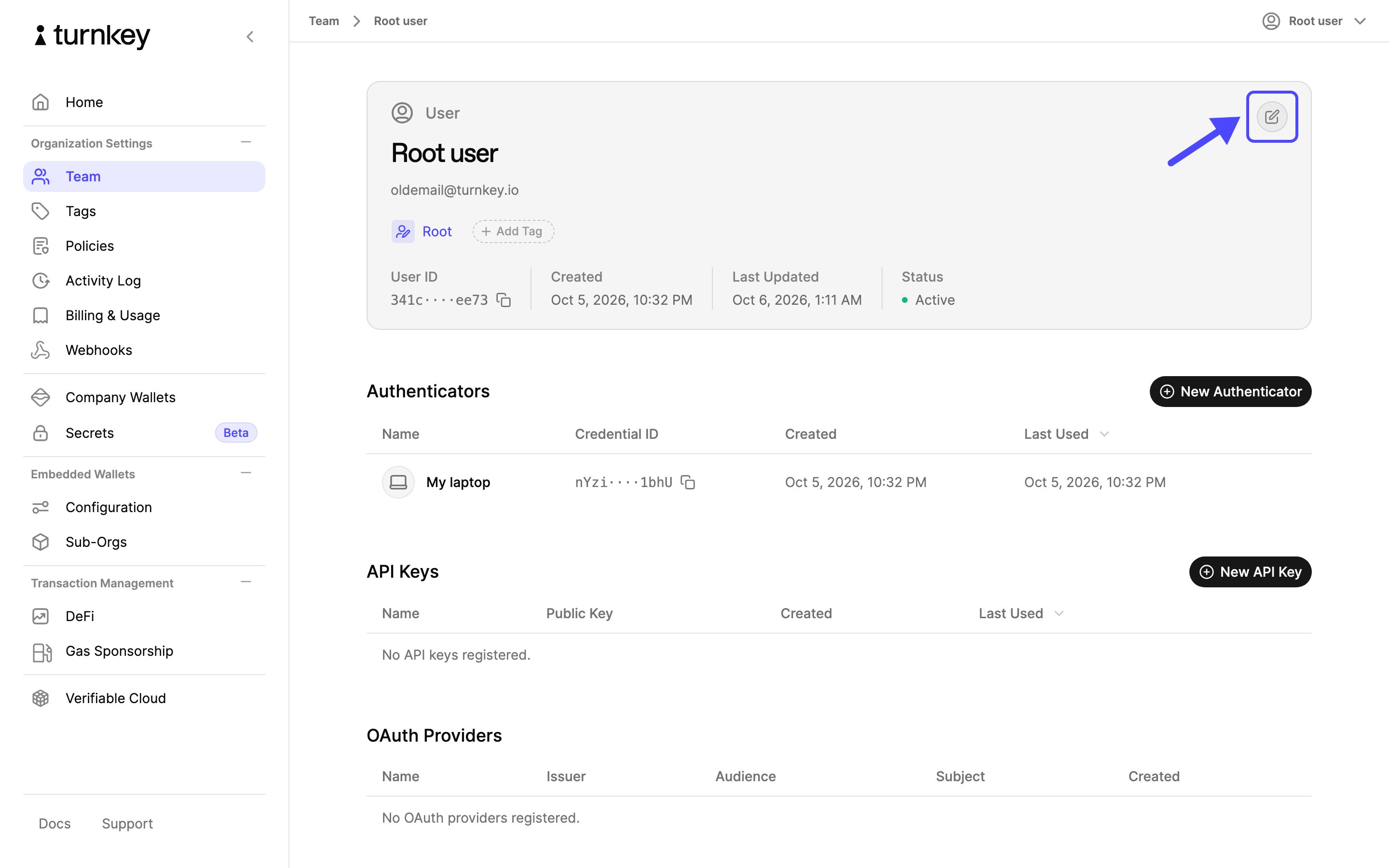
 On your profile, select the **Edit user** button.
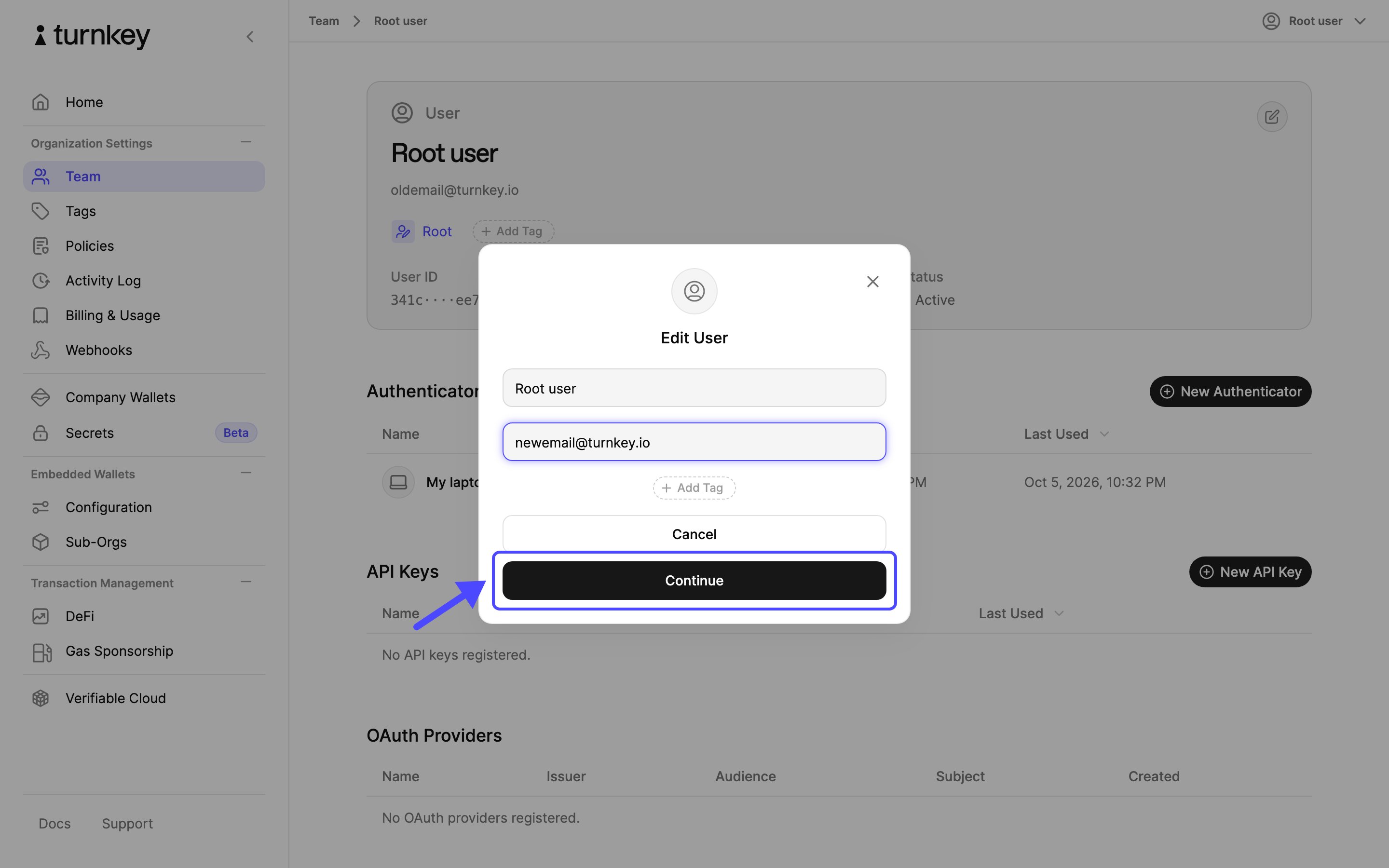
 Replace the email address with the new one and select **Continue**.
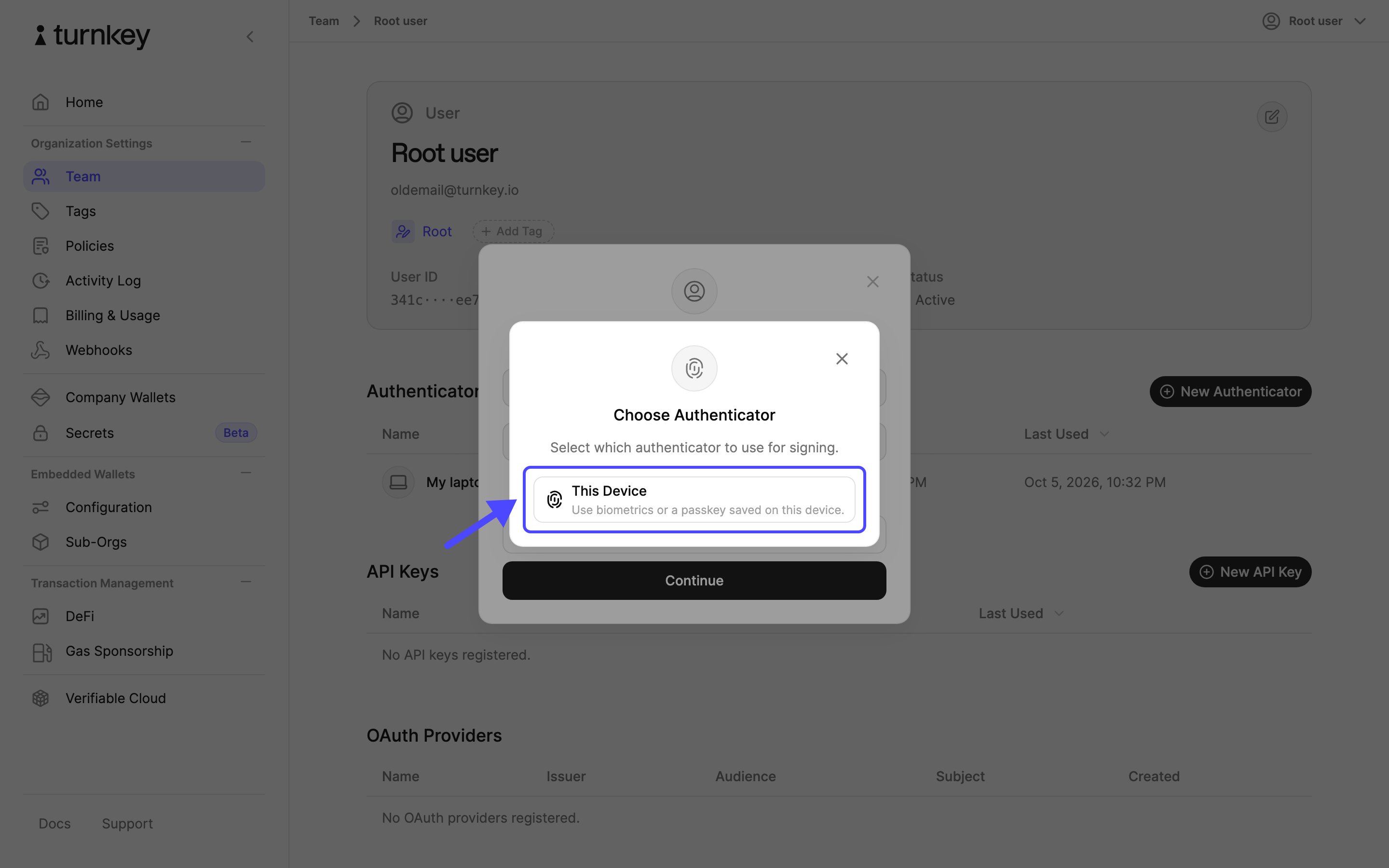
 Confirm the update with your authenticator. Choose **This Device** for a passkey or **Security Key** for a hardware key.
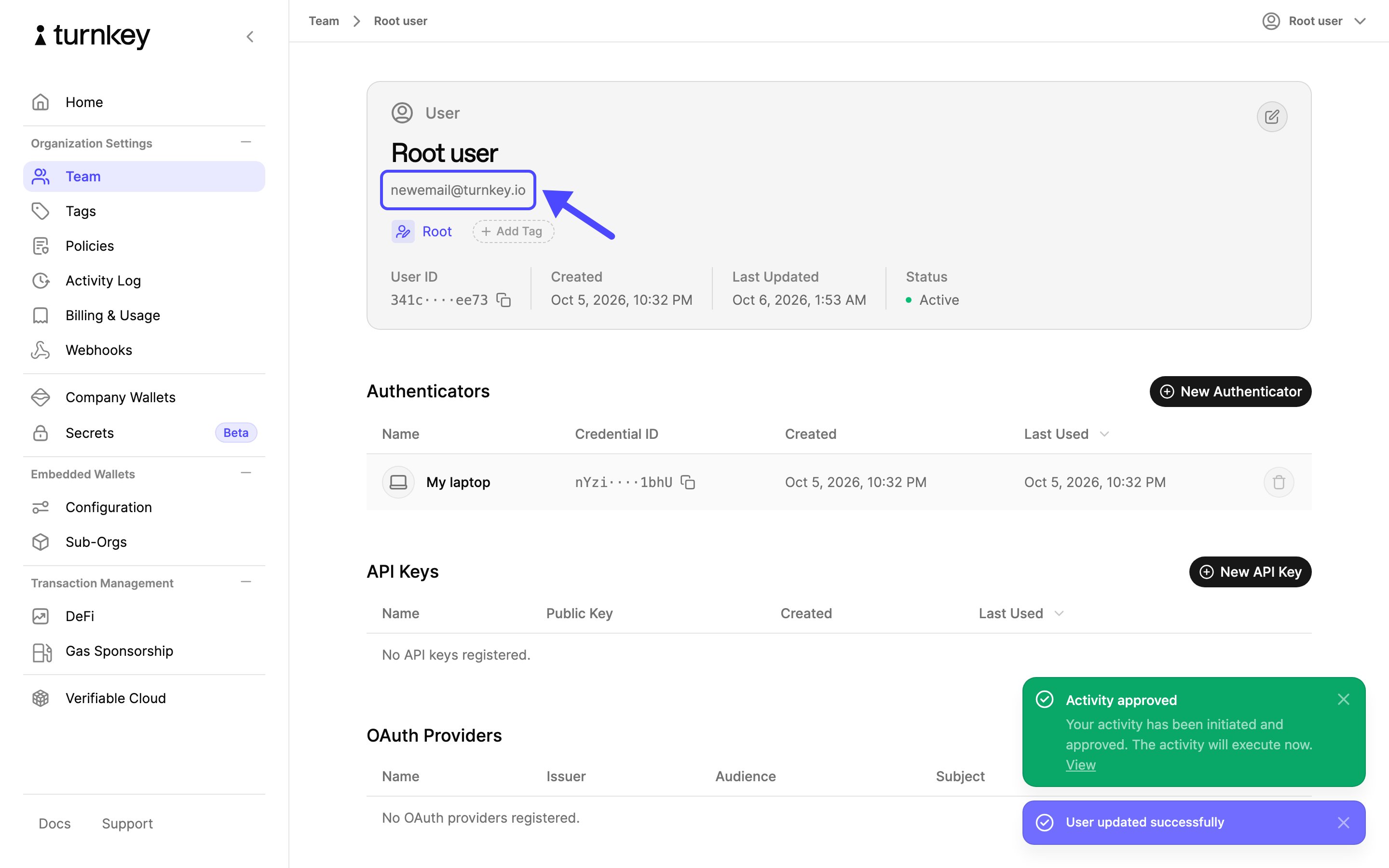
 Your profile now shows the new email address.
 This documentation is built and hosted on [Mintlify](https://mintlify.com), a developer documentation platform.